
Three ways to find and check referral partners you do not work with yet.
In this document
- Find the top foreign law firms sending cases into your jurisdiction, to see who already sends work your way.
- Find foreign law firms to send cases to a new country, when a client needs filing somewhere you have no contacts.
- Verify whether a new foreign associate is the best fit, before you send them a case.
Related, but covered elsewhere
- Finding applicants rather than law firms is in Win clients, both for applicants filing into your jurisdiction and for applicants with fragmented representation.
- Checking who a firm you already work with also partners with is in Defend relationships.
- Choosing which country to target in the first place is in Grow further.
- Meeting a prospective partner in person is in Prepare for meetings.
1. Find the top foreign law firms sending cases into your jurisdiction #
This identifies which foreign law firms are most active in sending IP cases to your jurisdiction, and which clients they act for when they do.
Set up the search #
- Click Search in the sidebar.
- In the first input, choose Law firms.
- Set the location filter to from and pick the country the firms are based in, for example the United States.
- The relationship option defaults to filing at. Change it to sending cases to.
- In the next field, choose filing at and select your own publication authority or jurisdiction, for example Canada.
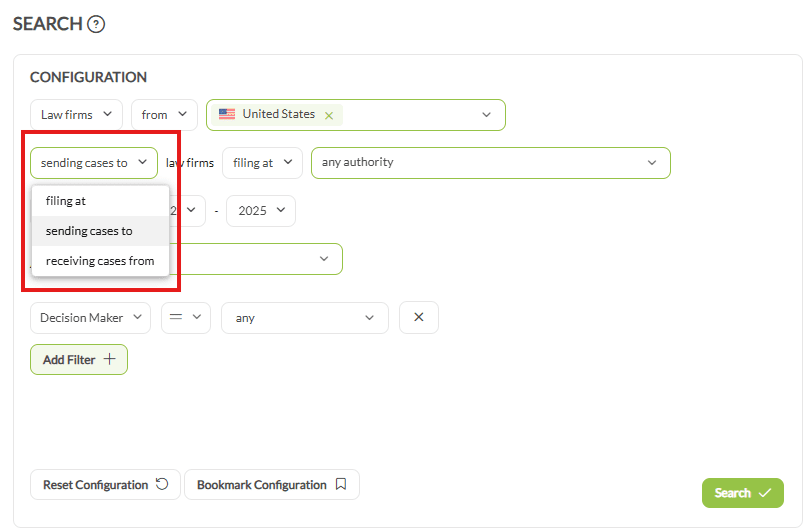
That second location filter has three options, and they answer different questions. filing at selects the receiving firms by the authority they file at. in selects them by the country they are located in, which is the one to use when office location matters more than where they file. around selects them by distance from a place. A firm located in one country may file at several, so the two are not interchangeable.
- Set the year type to Exchanged, then choose a period. For patents, avoid the most recent year, because publication lags. For trademarks the latest year is fine.
Add charts and narrow the result #
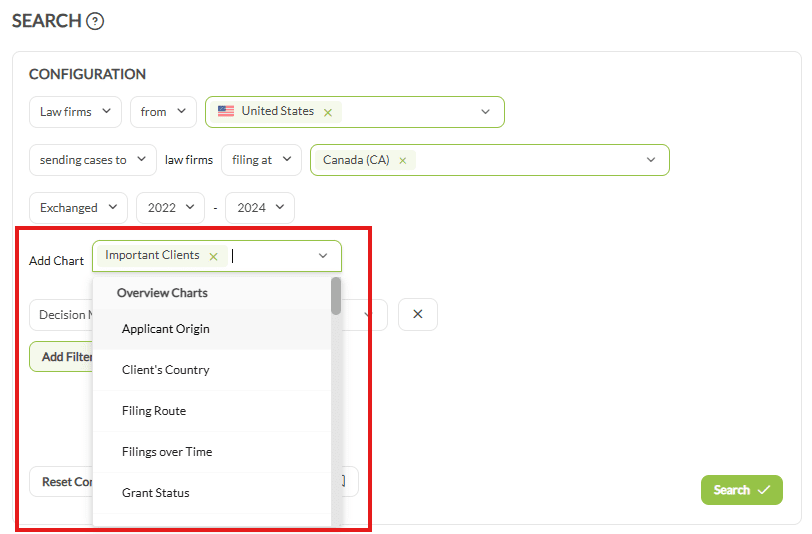
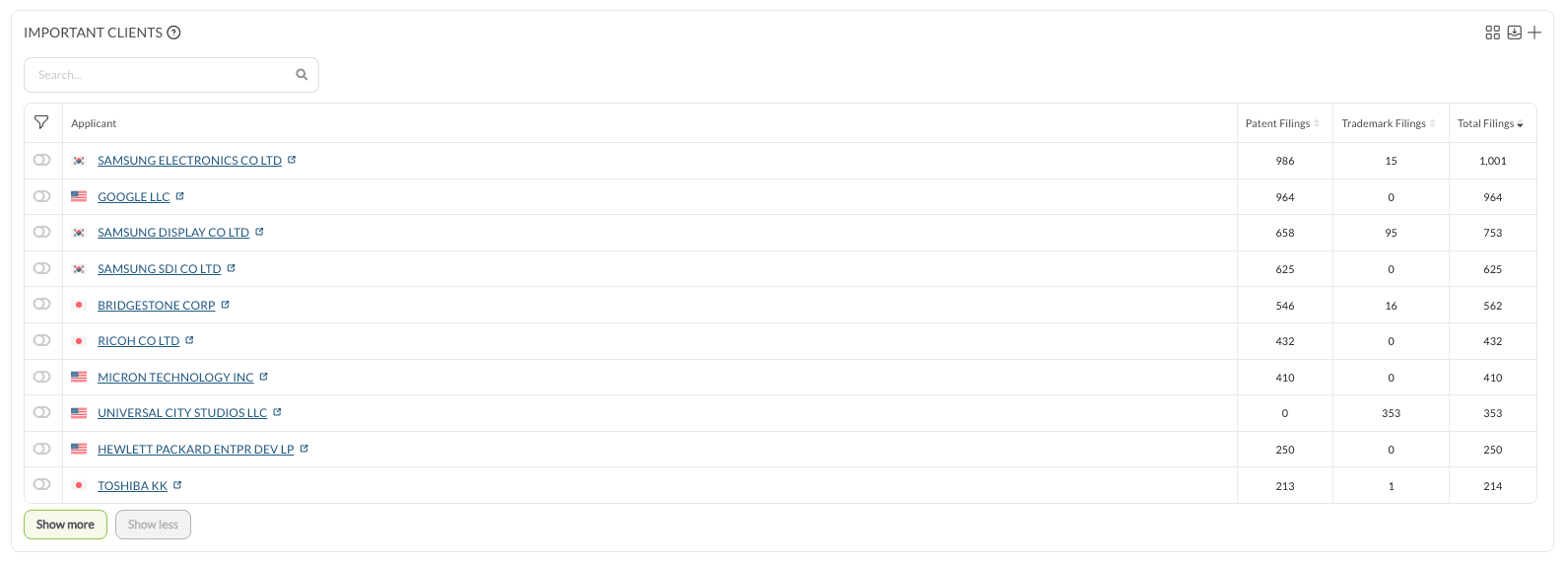
- Use Add Chart for context. Important Clients shows which clients these firms act for when sending cases to your jurisdiction. Several charts can be added to one query.
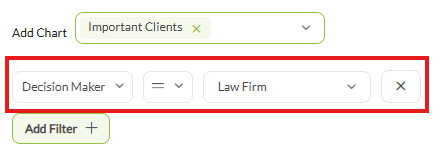
- The Decision Maker option becomes available once a sending or receiving relationship is selected. It distinguishes whether the law firm or the applicant was the likely decision maker for each exchange, which is what tells you where outreach is worth directing.
- A Number of Cases filter with a lower limit restricts the list to firms that have sent a meaningful volume.
Worked example #
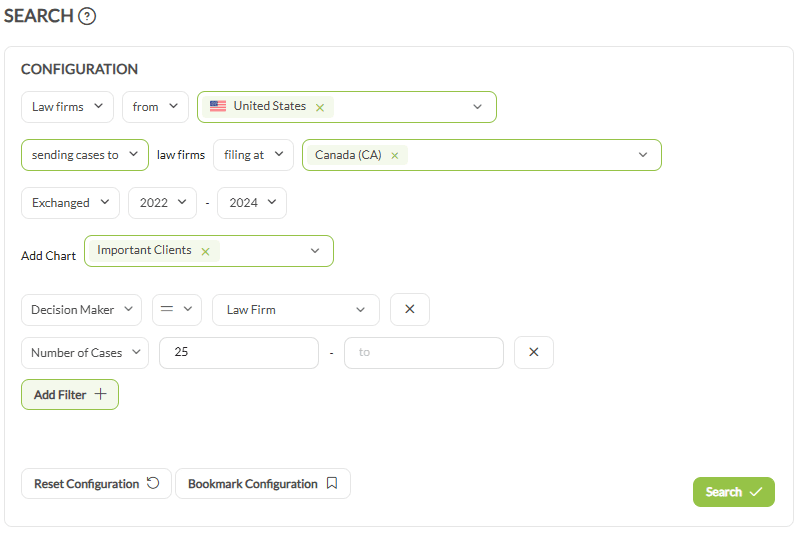
Which US law firms send the most IP cases to Canadian firms:
- Law firms, from United States
- sending cases to law firms filing at Canada
- Year type Exchanged, a three-year range, omitting the latest year for patents
- Add the Important Clients chart
- Apply Decision Maker
- Add a Number of Cases filter, for instance at least 10
The result is the target list, with each firm’s client base alongside it.
2. Find foreign law firms to send cases to a new country #
When a client wants to file in a country where the firm has few connections, this finds candidate partners in that jurisdiction and gives enough to judge them.
Set up the search #
- Click Search in the sidebar.
- In the first input, choose Law firms.
- Set the location filter to from and enter the country you want to send cases to.
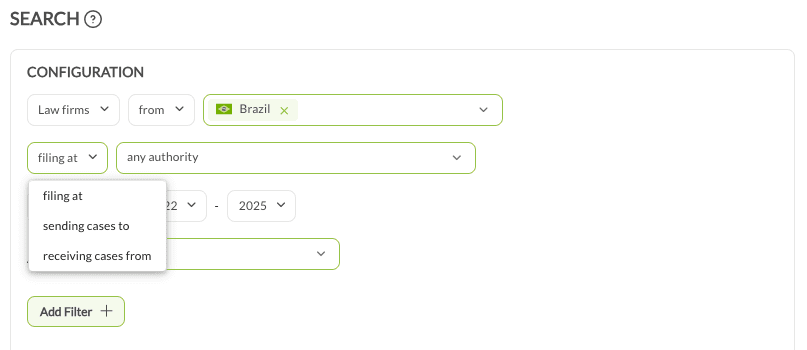
- Change the relationship option from filing at to receiving cases from.
- Select your own country. The search now returns firms in the target country that have received cases from firms in yours.
- Set the year type to Exchanged and choose a period. For patents, skip the most recent year.

Charts worth adding #
- Important Clients: which clients these firms have represented.
- Important Partners: which firms in your country have already trusted them with cases. This is the closest thing to a reference.
- Grant Status: how many filings they handled resulted in granted rights.
A Technical Field filter narrows the list to firms with a record in the client’s technology, for instance chemistry. A minimum case count restricts it to established firms.
Worked example #
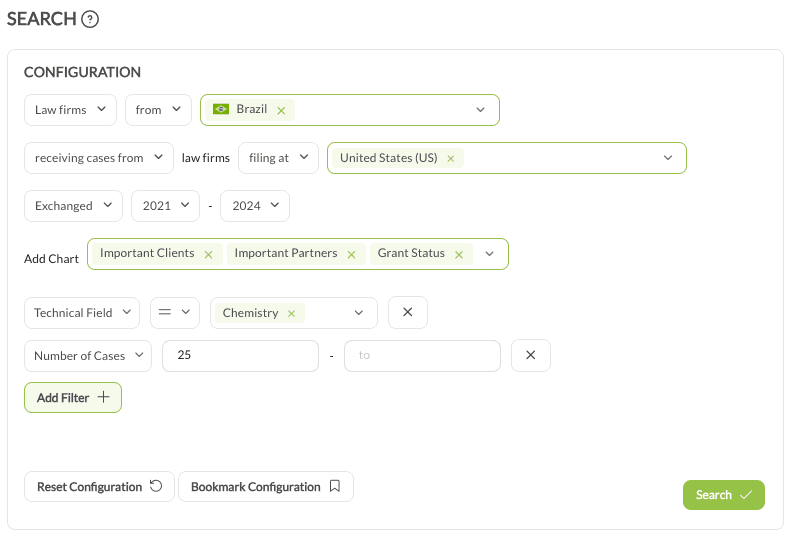
A US client wants to file a chemistry patent in Brazil:
- Law firms, from Brazil
- receiving cases from law firms in the United States
- Year type Exchanged, skipping the latest year
- Add Important Clients, Important Partners and Grant Status
- Add a Technical Field filter for chemistry
3. Verify whether a new foreign associate is the best fit #
Due diligence on a firm before the first case goes to them: their experience, their client base, their technical record and how peer firms treat them.
Open the firm’s profile #
- Click Analyze in the sidebar, then Law Firms.
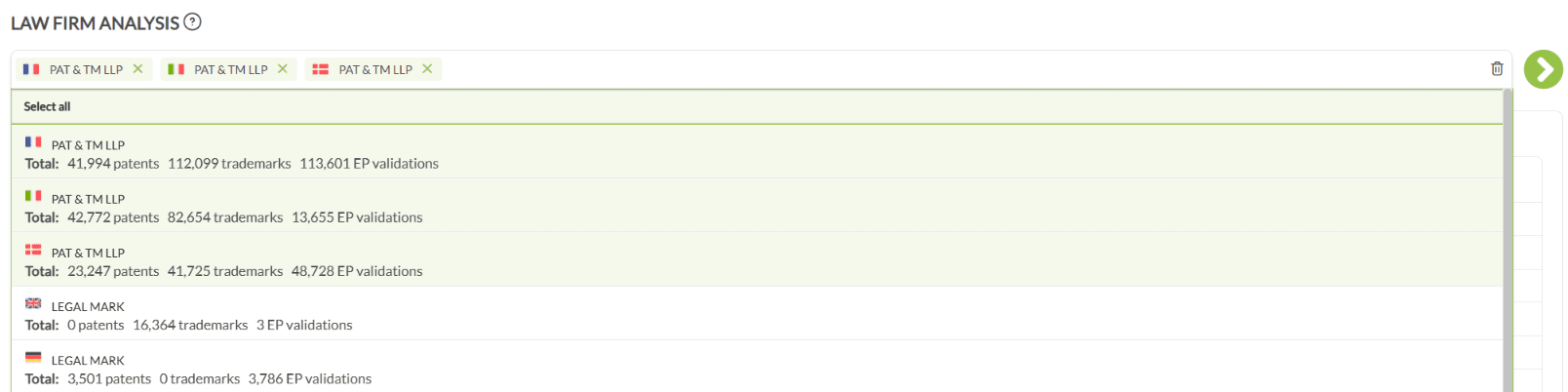
- Enter the firm’s name. Where a firm has several entities, one or more can be selected.
- If it is not near the top, scroll to the bottom of the results and check Unconfirmed law firms. The entity may be listed there.
- Open the profile with the arrow on the right.

Check their experience with clients like yours #
On Overview, confirm the year type is Prosecution Year and set the period.
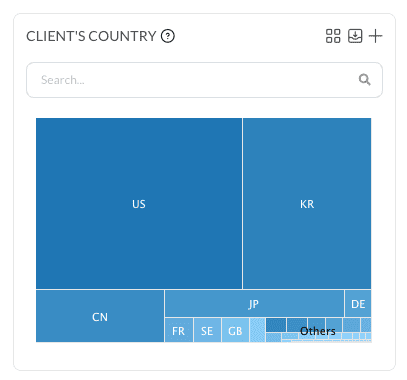
- In the Clients’ Country chart, select your client’s country. The profile now shows only work done for clients from there.
- Important Clients, below it, lists those clients with the volume of patent and trademark filings handled for each.
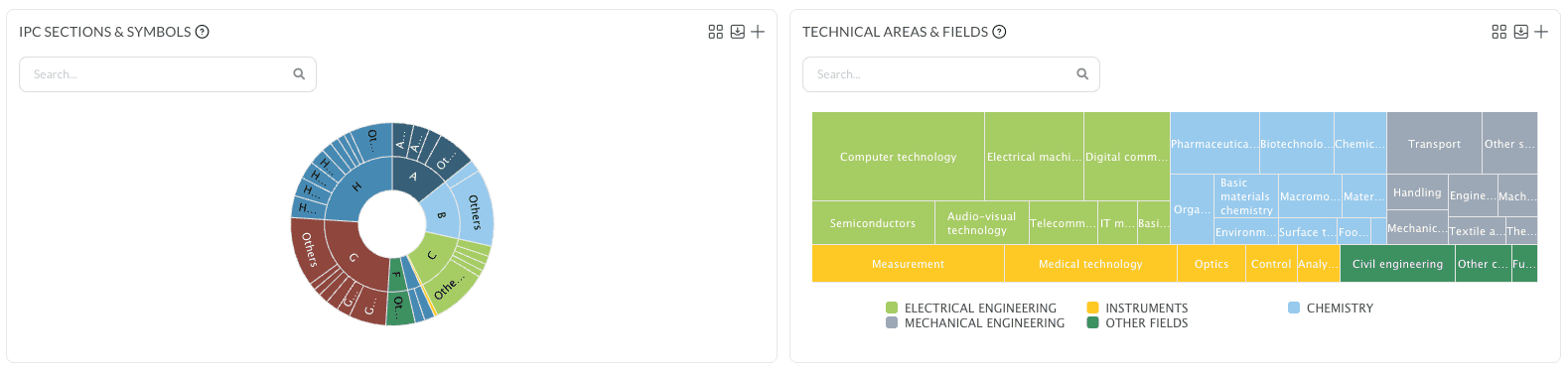
- Filtering by Technical Field or IPC shows whether the record covers the client’s own area.
Check the case exchange record #
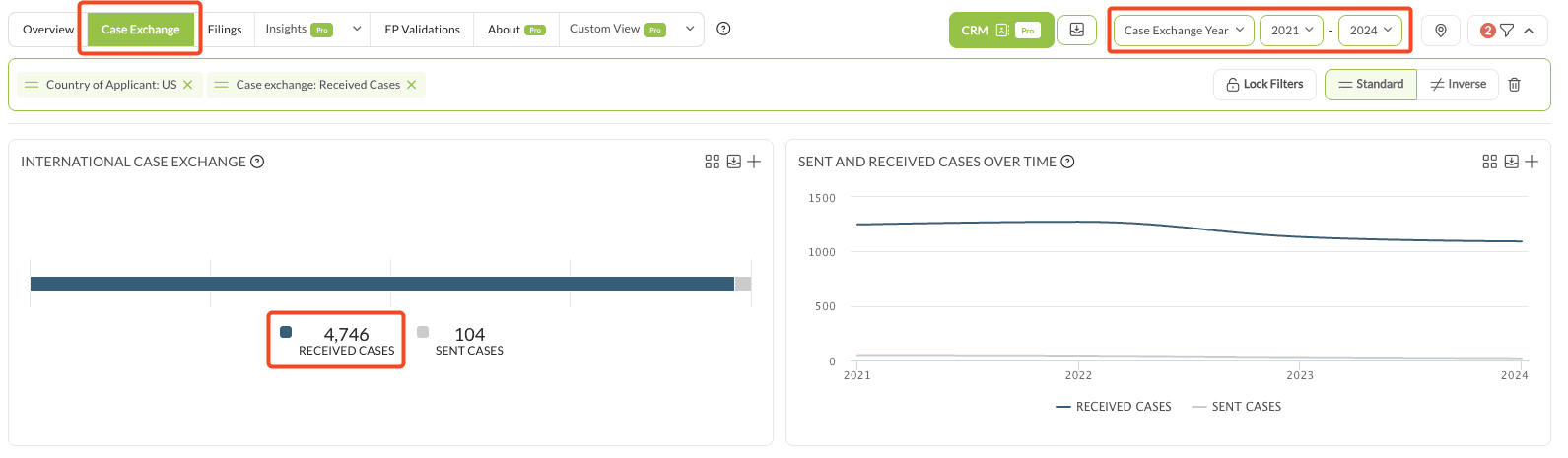
On the Case Exchange tab, confirm the year type is Case Exchange Year. Selecting Received Cases shows how many cases the firm took from the client’s country in the period. The trend over time answers a different question from the total: whether that volume is stable, growing or declining.
Check who already trusts them #
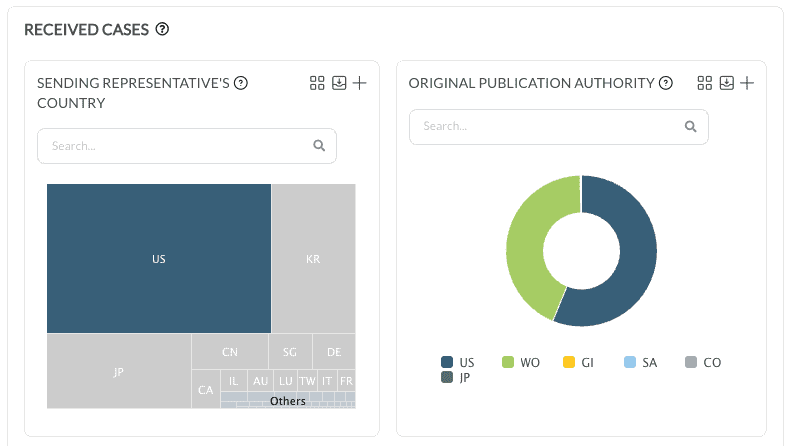
Clear the client country filter, then select your own country in the Sending Representative’s Country chart. Important Partners then shows which firms in your country have historically sent this firm their outbound cases.
Look for a mutual contact #
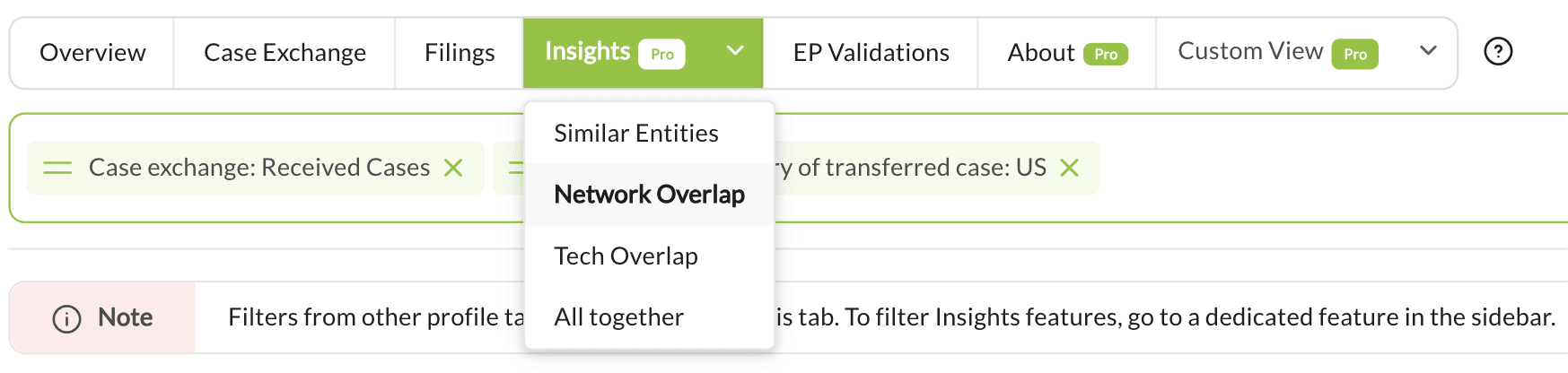
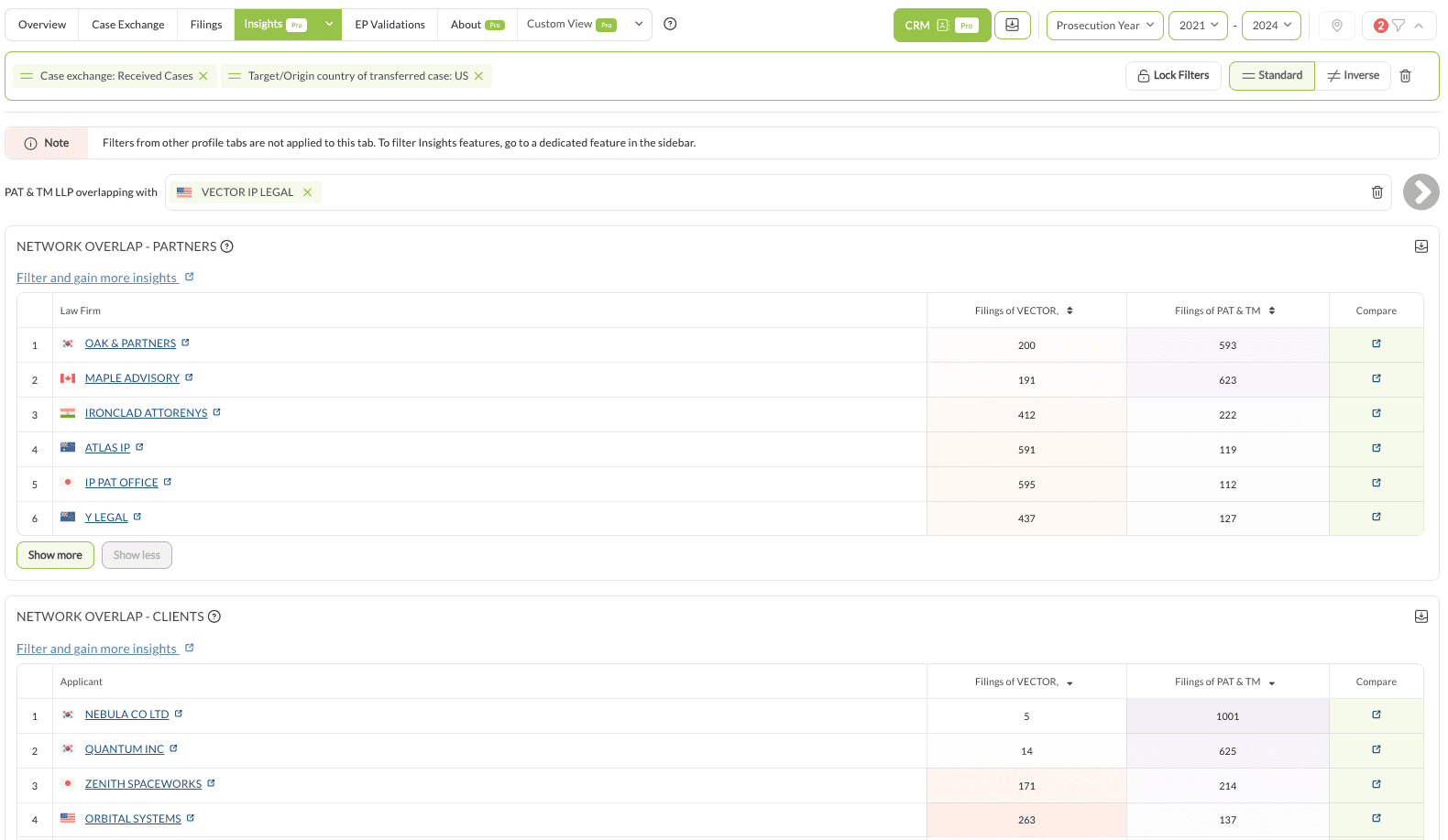
Available with Pro. On the firm’s Insights tab, run Network Overlap against your own firm. It returns the overlap between the two networks and the clients or firms both have worked with. Those mutual contacts are the people who can describe what the firm is like to work with, or make an introduction.
Worked example #
A US firm checking whether a Canadian firm suits a US client:
- Analyze › Law Firms, search the firm by name
- Year type Prosecution Year, the last three complete years
- Clients’ Country: United States, then review Important Clients and their filing volumes
- Filter by the client’s technical field
- Case Exchange: received cases from the United States, and the trend
- Important Partners: which US firms already work with them
- Network Overlap: mutual contacts worth asking for a referral
Practical notes #
- Review both patent and trademark work. A firm strong in one may be thin in the other.
- A stable or rising inflow of cases from your country is a better signal than a large historical total.